How Do You Lock Liquidity for a Token? Locked Liquidity Explained
On this page
Is there any way to establish a smart contract and lock the liquidity of my tokens, or can it only be done through the DEX?
Short answer
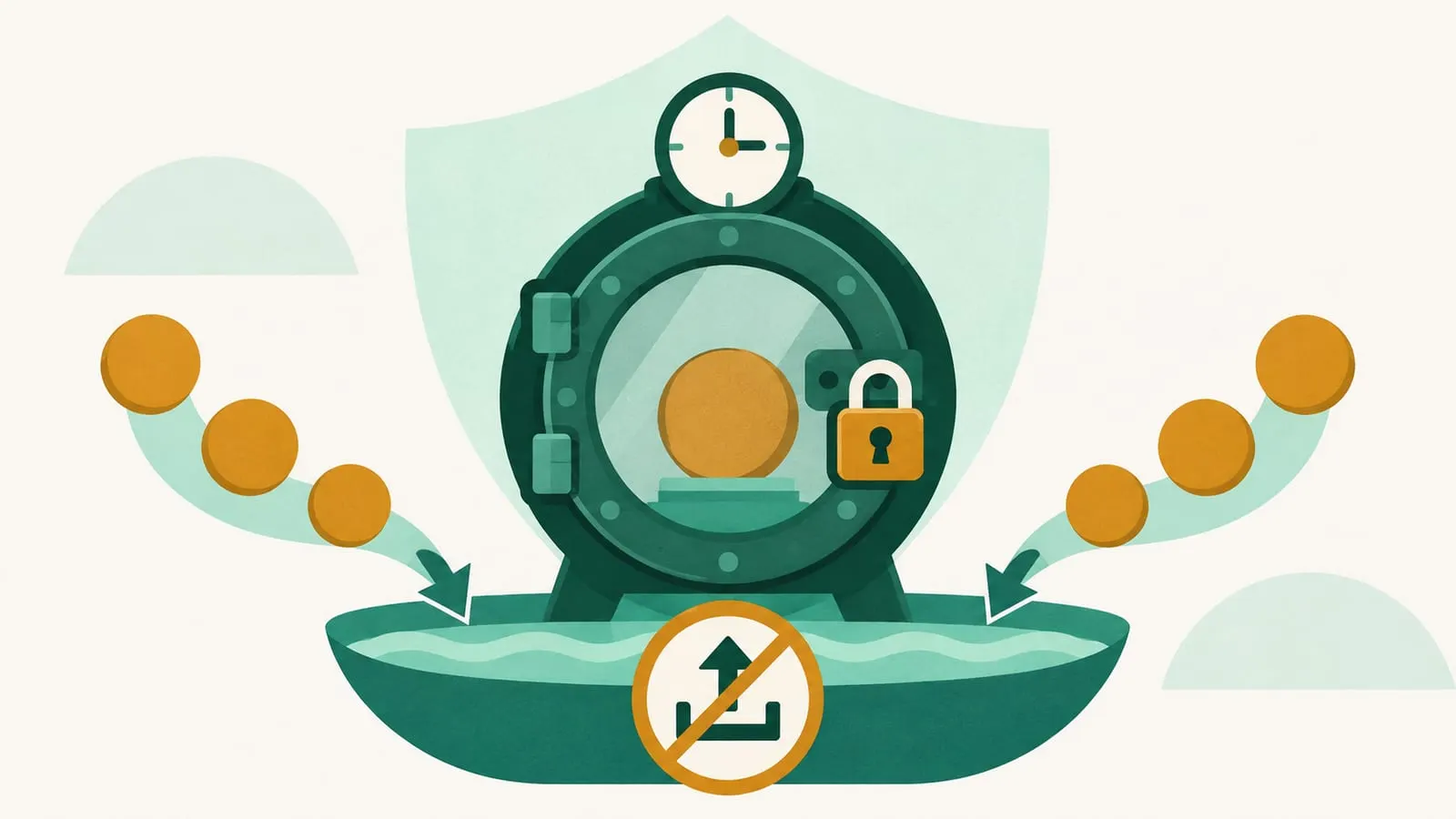
Locked liquidity means the tokens that make up a project’s trading pool on a decentralized exchange are held in a time-lock smart contract (or burned) so the team cannot pull them out before a set date. You don’t need to write your own contract: most projects add liquidity on a DEX, receive LP tokens (or an LP position NFT), and deposit them into an audited third-party liquidity locker such as UNCX, Team Finance or PinkLock. Some launchpads lock or burn liquidity automatically when a token “graduates”.
It is a trust signal against the most common rug pull, where developers drain the pool, but it is far from a complete guarantee.
What is locked liquidity?
When a project launches a token, it usually seeds a liquidity pool on an automated market maker, pairing its token with ETH, a stablecoin or another base asset so people can trade. In return, the DEX issues proof of ownership of that liquidity:
- v2-style pools (Uniswap v2 and its many forks) issue fungible LP tokens.
- Concentrated-liquidity pools (Uniswap v3 and v4 and similar) represent each position as an NFT (ERC-721) minted by the DEX’s position manager.
- Solana AMMs vary: Raydium’s standard (CPMM) pools issue LP tokens, while its concentrated (CLMM) pools use position NFTs.
Whoever holds those LP tokens or NFT can withdraw the underlying assets at any time. If that is the team, they can remove all the ETH from the pool and leave holders with a token nobody can sell. That is the classic “liquidity pull” rug.
To lock liquidity, the owner hands those LP tokens or NFT to a contract that will only release them after a chosen date. During the lock, nobody, including the team, can withdraw the liquidity.
Why projects lock liquidity
- Rug-pull protection. It removes the simplest exit scam during the lock period.
- Investor confidence. Token scanners, launchpads and many traders check for a lock before buying.
- Listing requirements. Many launchpads require locked liquidity as a condition of a presale or IDO.
Locking does not stabilize the token price or prevent sell-offs by holders; it only keeps the pool’s liquidity in place.
How to lock liquidity, step by step
The flow below is the typical one for a third-party locker. Exact screens differ by service and chain.
- Create the pool. Add your token and the paired asset to a DEX pool. You receive LP tokens (v2-style) or a position NFT (v3/v4-style).
- Choose a locker that supports your DEX version and chain. Not every locker supports every pool type; check the docs before you start.
- Connect the wallet holding the LP position to the locker’s app and enter the LP token address or position NFT ID.
- Set the amount, unlock date and withdrawal address. Lock all or most of the LP supply. The withdrawal address receives the liquidity when the lock expires. If your token has transfer taxes, max-transaction limits or reflection rewards, exclude the locker contract from them first, or the lock transaction may fail (PinkSale’s docs flag this explicitly).
- Approve and confirm the transactions, paying any locker fee plus gas. Fees vary by service and option: some charge a flat fee, a percentage of the LP tokens, or a share of trading fees collected while locked.
- Share the lock link so holders can verify it.
Many lockers also let you extend a lock, split it, transfer ownership of it or (for concentrated-liquidity positions) collect trading fees while the principal stays locked. GoPlus’s Uniswap v4 locker, for example, supports collecting fees and adding liquidity to a locked position, while decreasing liquidity is only possible after the lock expires.
For concentrated-liquidity positions, lock a full-range position. A narrow-range position can fall out of range as the price moves, leaving the pool with little usable depth even though the lock is technically in place.
Can I lock liquidity with my own smart contract?
Yes. A simple time-lock contract that holds LP tokens and only releases them after a timestamp is straightforward to write, and some teams use a multisig wallet with a timelock. The downside is credibility: investors have to read and trust your custom code, whereas a widely used locker has public audits and a familiar verification page. If you write your own, get it audited and verify the source code on the block explorer. See how to create a smart contract for the basics.
Burning LP tokens instead
The permanent alternative is to send fungible LP tokens to a burn address (such as the zero address or 0x...dEaD). Nobody can ever withdraw that liquidity again. Position NFTs behave differently: standard ERC-721 contracts block transfers to the zero address, and Uniswap v3’s own burn function only works on an empty position, so “burning” a v3/v4 position in practice means sending it to a dead address or a locker with no unlock function.
Burning is the strongest form of liquidity protection, but the capital is gone for good, and LP tokens sent to a dead address also strand the trading fees they earn. Some tools make liquidity permanent while keeping the fees: Raydium’s Burn & Earn on Solana moves the LP tokens or full-range position into a program-owned escrow with no withdraw function and gives the owner a transferable “Fee Key” NFT for claiming fees.
Meme-coin launchpads often make liquidity permanent automatically when a token graduates. Pump.fun on Solana has long been reported to burn or permanently lock graduated tokens’ liquidity, though it has changed its migration mechanics several times (moving from Raydium to its own PumpSwap DEX in 2025). Since July 21, 2026 its default “BOOST” mode, per Pump.fun’s announcement, uses capital that previously sat locked at migration for about five minutes of automatic buybacks of the new token, burning what it buys. Check the current behaviour for any specific token, and note that liquidity added after graduation is not locked automatically.
Well-known liquidity locker services
| Service | What it locks | Notes (as of November 2026) |
|---|---|---|
| UNCX Network (formerly Unicrypt) | v2 LP tokens, v3 and v4 positions, team tokens | One of the oldest lockers; separate v2, v3 and v4 lockers on many EVM chains, plus a Solana product |
| Team Finance | LP tokens (including Uniswap v3 positions), team tokens and NFTs, vesting | A TrustSwap product; multi-chain including Solana; TrustSwap’s 2026 guides say Uniswap v4 position locks are not supported on Base, Ethereum or Arc; exploited in 2022 (see below) |
| PinkLock (PinkSale) | Tokens and LP tokens, with optional vesting | Part of the PinkSale launchpad; audited by CertiK per PinkSale’s docs; PinkSale presales can lock auto-added liquidity for a creator-chosen number of days |
| Raydium Burn & Earn | Raydium CPMM LP tokens and full-range CLMM positions (Solana) | Permanent only, no unlock; fees stay claimable via a Fee Key NFT |
| GoPlus SafeToken Locker | Uniswap v4 position NFTs | Supports Ethereum, Base, Unichain, Robinhood Chain and Arc per its docs |
These are examples, not endorsements. Always check the current supported chains, DEX versions and fees in each service’s own documentation.
What about Pons?
Pons is a token launchpad on Robinhood Chain that went live in July 2026. According to its V2 documentation, a new token trades on a bonding curve that holds the whole supply; when the curve sells out, the token “graduates” into a Uniswap v4 pool, and the pool position (plus any excess supply) is held permanently by Pons’s launch locker contract, with no unlock function or waiting period for anyone, including the protocol. Creators earn fees through Pons’s v4 hook and claim them from a fee escrow, rather than from the locked position.
Two caveats matter for anyone judging a Pons token. First, Pons’s own docs said in November 2026 that the V2 contracts were still under review by three security firms (SB Security, Dingbats and Pashov Audit Group), that no audit had closed and that reports would be published once the reviews finish; until then, treat V2 as unaudited. Second, older V1 launches had no bonding curve: Pons’s v1 docs say tokens launched directly into 1%-fee Uniswap v3 pools against WETH, with the pool’s liquidity locked automatically in a legacy locker contract, but they don’t spell out the lock’s duration or withdrawal terms. So confirm which version a token used and check the locker contract on the block explorer. A permanent lock also says nothing about the token’s trading depth or the rest of its supply.
How investors can verify a liquidity lock
- Find the pool. Look up the token’s main trading pair on a DEX or a pair explorer.
- Check who holds the LP. On the block explorer (Etherscan, Basescan, Solscan and so on), open the LP token’s holders list, or the position NFT’s owner. Most of the supply should sit in a known locker contract or a burn address, not in a team wallet. Pair explorers and token scanners often show a “liquidity locked” percentage, but confirm it on-chain: their data can lag or miss newer lockers.
- Open the lock record on the locker’s own site and confirm the amount, the percentage of total LP supply, the unlock date and who owns the lock (the owner can usually extend it, and sometimes transfer it).
- Check the position’s range for concentrated-liquidity pools. A locked narrow-range position may provide little real depth.
- Check every pool. A team can lock one pool and keep liquidity in another pair or chain.
- Check the token itself with a token-security scanner for mint functions, blacklist or pause functions, sell taxes and honeypot behaviour.
Limitations and red flags
A lock protects the pool, not the project. Watch for:
- Short or tiny locks: a lock that expires in days, or covers only a small share of the LP supply.
- Unlocked team or treasury tokens: a team holding a large unvested supply can sell into the locked pool and drain it just as effectively. Look for team tokens in vesting contracts too; see what a lock-up period is.
- Malicious token code: hidden mint functions, adjustable taxes or honeypot logic that blocks selling are unaffected by a liquidity lock.
- Liquidity in unlocked pools on another DEX or chain.
- Unknown or unaudited lockers, or a “locker” that is just a contract the team controls.
- Locker risk itself: in October 2022 an attacker exploited a flaw in Team Finance’s Uniswap v2-to-v3 liquidity migration function and drained about $15.8 million of locked liquidity from four projects, after spending roughly $2,700 to launch the attack. Even audited lockers are smart contracts with bugs.
- Expiry: when a lock ends, the liquidity can be withdrawn. Mark the date and watch for whether it is extended.
For broader warning signs, read our guides to crypto scams and how to tell if you’ve been caught in a liquidity mining scam.
Bottom line
Locking liquidity is a cheap, standard step for any new token and a useful first check for buyers. But it removes only one way to rug. Combine it with checks on token code, team allocations, vesting and pool distribution before trusting a project. For more on how pools and DEXs work, browse our DEXs and AMMs guides.
Frequently asked questions
What does locked liquidity mean?
It means the LP tokens (or LP position NFT) representing a token's trading pool are held by a time-lock contract or sent to a burn address, so they cannot be withdrawn until the unlock date, or ever if burned.
Is burning LP tokens better than locking them?
Burning makes the liquidity permanent, which is stronger rug-pull protection, but the capital is gone for good and, if the LP tokens or NFT are simply sent to a dead address, so are the trading fees they earn. Some permanent lockers, such as Raydium's Burn & Earn, keep the fee rights. Time locks are more flexible for projects that plan to migrate or rebalance liquidity.
How long should liquidity be locked?
There is no standard. Very short locks (days or weeks) offer little protection, and some launchpads let creators choose lock periods as short as a few days. What matters is how long the lock runs relative to the project's plans, what share of total LP supply is locked, and what happens at unlock.
Can a project rug pull with locked liquidity?
Yes. A team can still sell large token allocations, mint new tokens if the contract allows it, block sells with a honeypot contract, or wait for the lock to expire. Locked liquidity is one check, not a guarantee.
Does Pons lock liquidity?
Pons is a token launchpad on Robinhood Chain. Its V2 documentation says each graduated token's Uniswap v4 position is held permanently by a launch locker with no unlock function, though the V2 contracts were not yet audited as of November 2026. Older V1 launches went straight into Uniswap v3 pools whose liquidity Pons's v1 docs say was locked automatically in a legacy locker contract, without stating the lock's terms, so check which version a token used.
Sources
- Pons docs: pons v2 (launch locker, graduation, audits)
- Pons docs: v1 (legacy factory, Uniswap v3 launches, legacy locker)
- Pump.fun on X: Introducing BOOST mode (July 21, 2026)
- SolanaFloor: Pump.fun tackles liquidity criticism with BOOST mode
- TrustSwap: How to lock liquidity on Base (Team Finance and Uniswap v4)
- Bitquery docs: Pons launchpad on Robinhood Chain (V1 and V2 contracts)
- GoPlus docs: SafeToken Locker for Uniswap V4
- PinkSale docs: Create a Lock (PinkLock)
- Raydium docs: Burn & Earn (permanent liquidity lock)
- Team Finance (a TrustSwap product): services and supported chains
- DefiLlama: UNCX Network (v2, v3, v4 and Solana lockers)
- The Block: Hacker uses $2,700 to drain $15.8 million from Team Finance
Educational content, not financial advice. DeFi carries risk, including total loss of funds.